


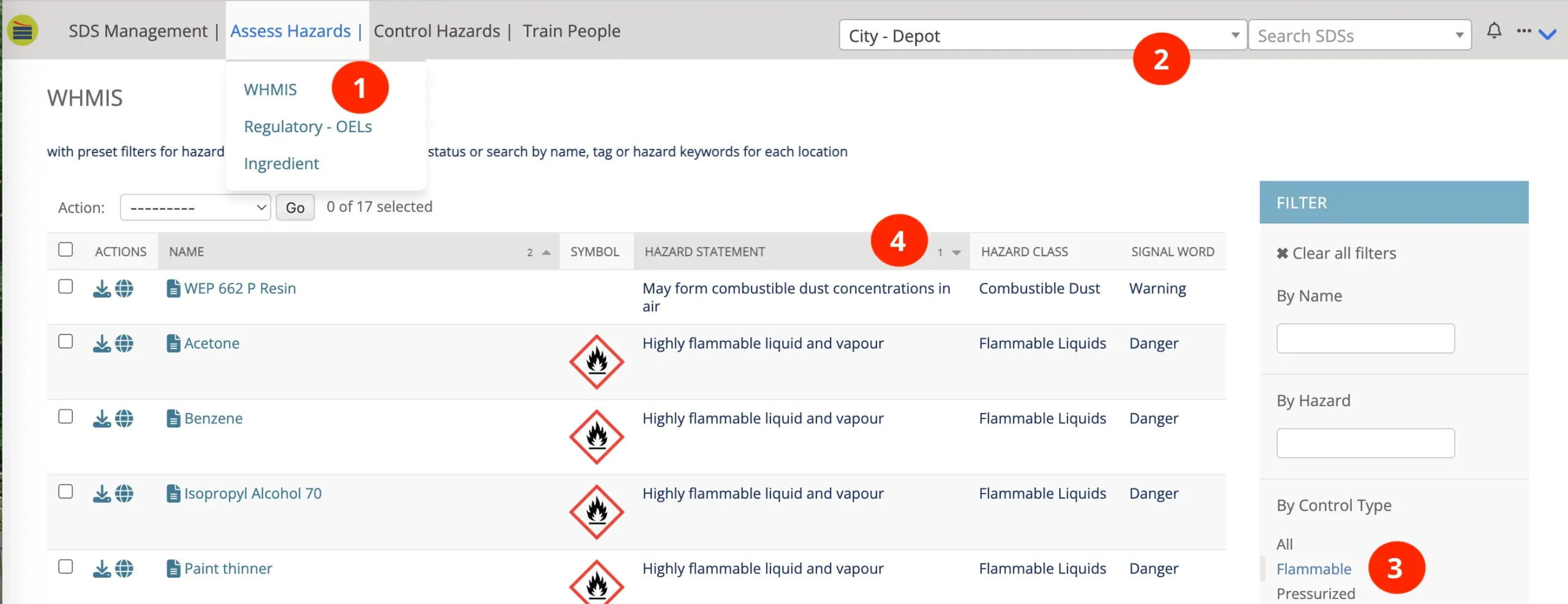
- Hover over "Assess Hazards" and select WHMIS
- Use the Location Dropdown to select the location for which you are reporting.
- In the Filter section, click on Flammable. This shows a list of all flammables and combustibles for the selected location.
- Use the sort capabilities of the table header to sort the types of flammables as you wish.
- Right click on your mouse and use your browser printer to print the page. If you want only the table printed, simply highlight the entire table, right click, and select print.
- Repeat for each storage location and each main Location in the Dropdown menu that you are reporting for.