



Administrators have additional permissions within SDS RiskAssist. Access to this functionality will be found on any page by using the dropdown menu on the far right of the header.
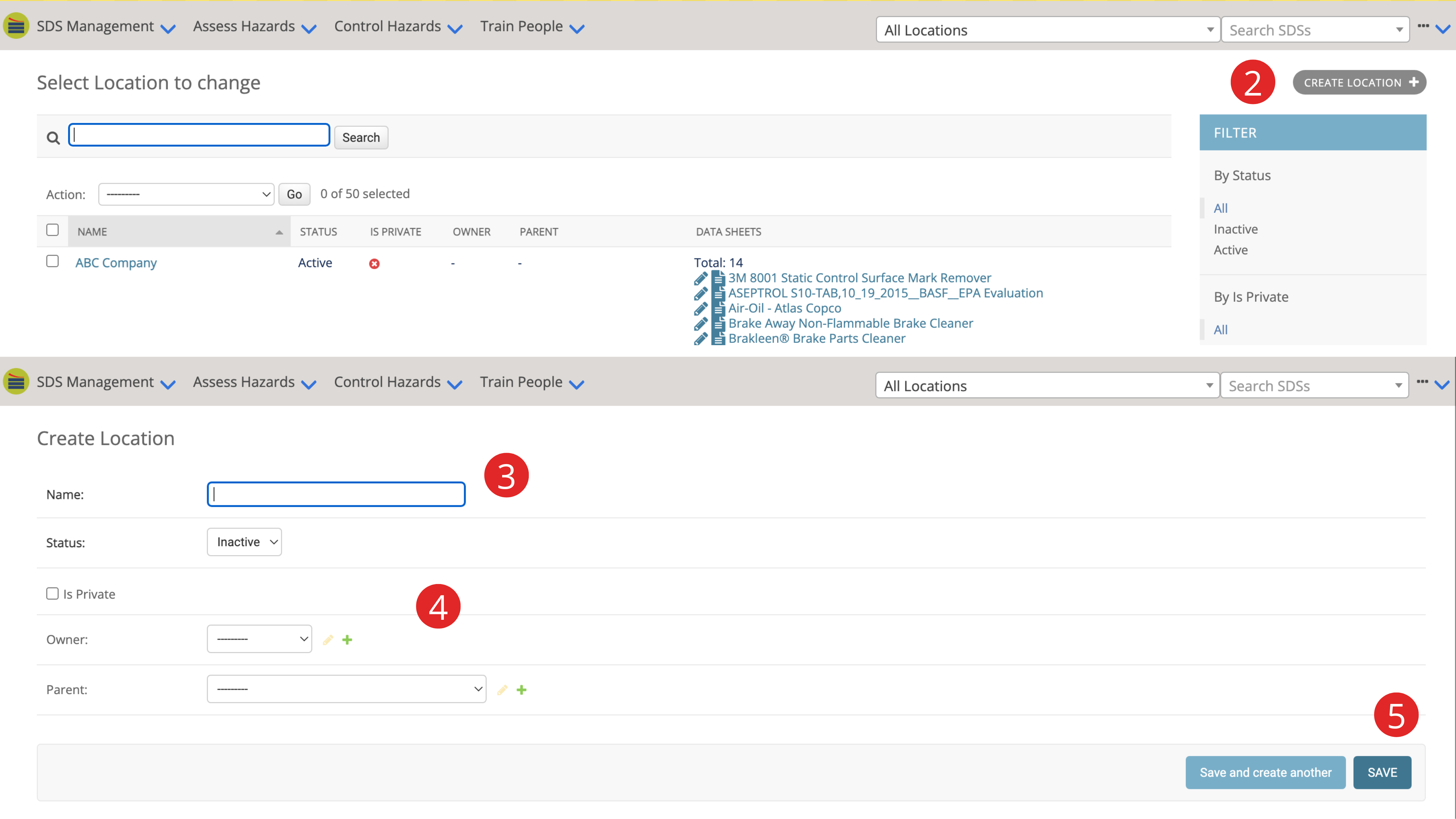
- Using the dropdown menu on the far right of the header, click Locations.
- Click on “Create Location+”.
- Fill in the Location name.
- Select Active from the status dropdown menu. You can add an owner to the location as well as a parent location if this is a sub-location.
- Save your changes.